

Audience Overview
Build deeper customer relationships with Swiftsell’s comprehensive audience management platform. Organize, segment, and analyze your WhatsApp contacts to deliver targeted messages and personalized experiences that drive engagement and conversions.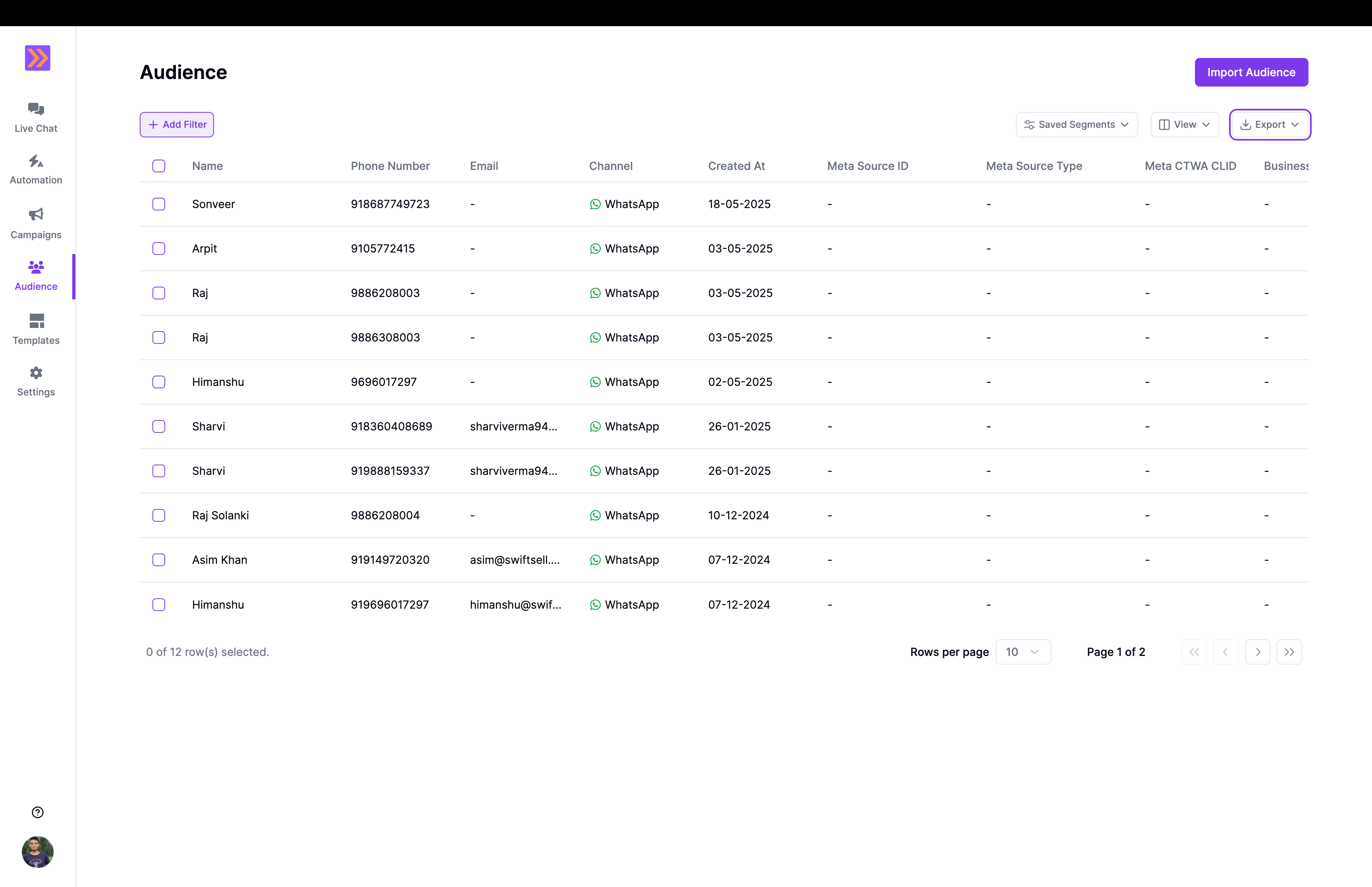
What You Can Do
With Swiftsell’s audience management tools, you can:- View and manage all contacts in a centralized dashboard with detailed profiles
- Create dynamic segments based on attributes, behaviors, and engagement patterns
- Import contacts in bulk from CSV files with automatic attribute mapping
- Track engagement metrics including message history and interaction data
- Update contact attributes manually or through automated processes
- Apply powerful filters to find specific contacts or groups instantly
- Export contact data in .csv format for analysis or import into other tools
Core Features
Contact Management
Every contact in your audience has a comprehensive profile containing:- Basic information - Name, phone number, and profile details
- Custom attributes - Store any additional data points relevant to your business
- Message history - Complete conversation timeline with interaction timestamps
- Audience Segmentation - Create segments based on attributes
Smart Segmentation
Create powerful audience segments for targeted messaging:- Attribute-based segments - Group contacts by any custom or system attribute
- Combined filters - Use multiple criteria for precise audience targeting
- Outbound Campaigns - Send messages to specific segments
Bulk Operations
Efficiently manage large contact lists using csv:- Bulk import - Upload CSV files with thousands of contacts to create new contacts
- Attribute mapping - Automatically match CSV columns to contact attributes
- Bulk updates - Modify multiple contacts simultaneously
- Export capabilities - Download contact data for external analysis
Getting Started
Import Your First Contacts
- Prepare your data - Organize contact information in a CSV file
- Map attributes - Connect CSV columns to contact fields
- Review and import - Verify data accuracy before finalizing
- Create segments - Group contacts for targeted messaging
Build Dynamic Segments
- Define criteria - Choose attributes and values for filtering
- Set conditions - Use operators like equals, contains, or greater than
- Combine filters - Create complex segments with multiple conditions
- Save and use - Apply segments to campaigns and automations
Common Use Cases
Customer Lifecycle Management
Segment contacts based on purchase history, engagement level, and lifecycle stage to deliver relevant content at the right time.Geographic Targeting
Group contacts by location data to send region-specific offers, event invitations, or localized content.Behavioral Segmentation
Create segments based on interaction patterns, response rates, and engagement frequency to optimize message timing and content.Lead Scoring
Track and score leads based on attributes like source, industry, and engagement level to prioritize sales efforts.Personalized Campaigns
Use contact attributes to personalize message content, ensuring each recipient receives relevant and targeted communication.Best Practices
- Keep data clean - Regularly review and update contact information
- Use meaningful attributes - Create custom fields that provide business value
- Segment strategically - Build segments that align with your marketing goals
- Monitor engagement - Track how different segments respond to messages
- Respect privacy - Follow data protection guidelines and user preferences