

Send an Email Block
The Send an Email block in Swiftsell’s WhatsApp automation builder allows you to automatically send email notifications to one or more recipients with details collected from your bot flow. This block is ideal for notifying team members, sending confirmations, or sharing user-submitted information via email.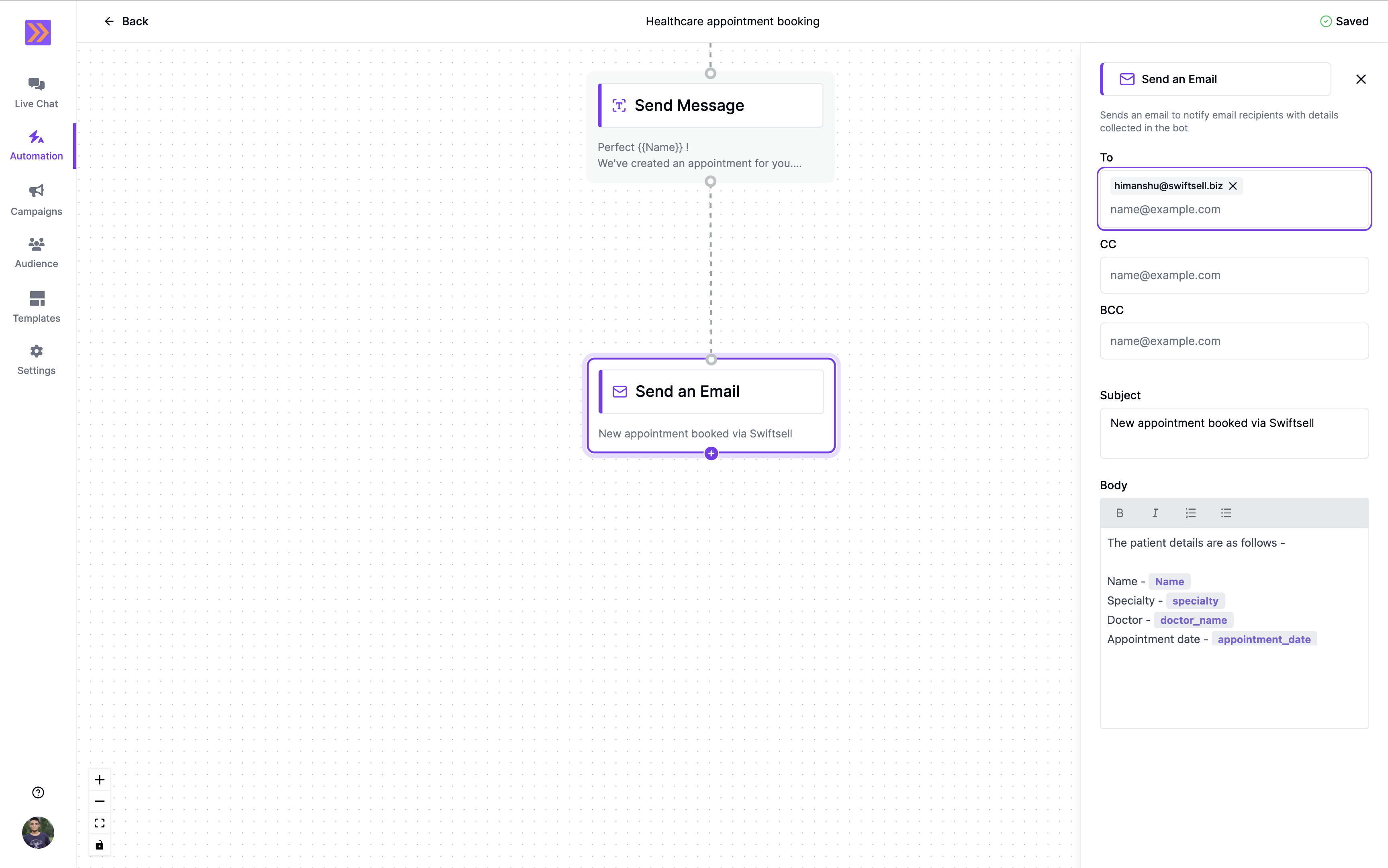
How It Works
- The Send an Email block lets you configure recipient email addresses (To, CC, BCC), subject, and the body of the email.
- You can insert variables collected earlier in the flow to personalize the email content.
- Supports text formatting in the email body for clarity and emphasis.
- When the block is triggered, an email is sent with the specified details to the configured recipients.
Key Components
-
Recipient Fields
- To: Add one or more primary recipients for the email notification.
- CC: (Optional) Add recipients to receive a carbon copy of the email.
- BCC: (Optional) Add recipients to receive a blind carbon copy of the email.
-
Subject
Set the subject line for the email to clearly indicate its purpose. -
Body
Compose the main content of the email. Supports formatting: Bold, Italics, ordered and bulleted lists. You can insert variables (e.g., name, appointment date) to dynamically include user responses collected earlier in the flow.You can insert variables using#inside the editor to personalize the email body.
Example Use Case
In the screenshot above, the Send an Email block is used to notify staff about a new appointment booking. The email includes patient details such as name, specialty, doctor, and appointment date, all dynamically filled using variables collected in previous steps.The Send an Email block automates email notifications, ensuring timely communication and seamless integration between your WhatsApp automation and your team’s workflow.