

Update Attributes
Keep your audience data fresh and actionable by efficiently updating contact attributes. Whether updating individual contacts or making bulk changes, Swiftsell provides flexible tools to maintain accurate, organized contact information that powers effective segmentation and personalized messaging.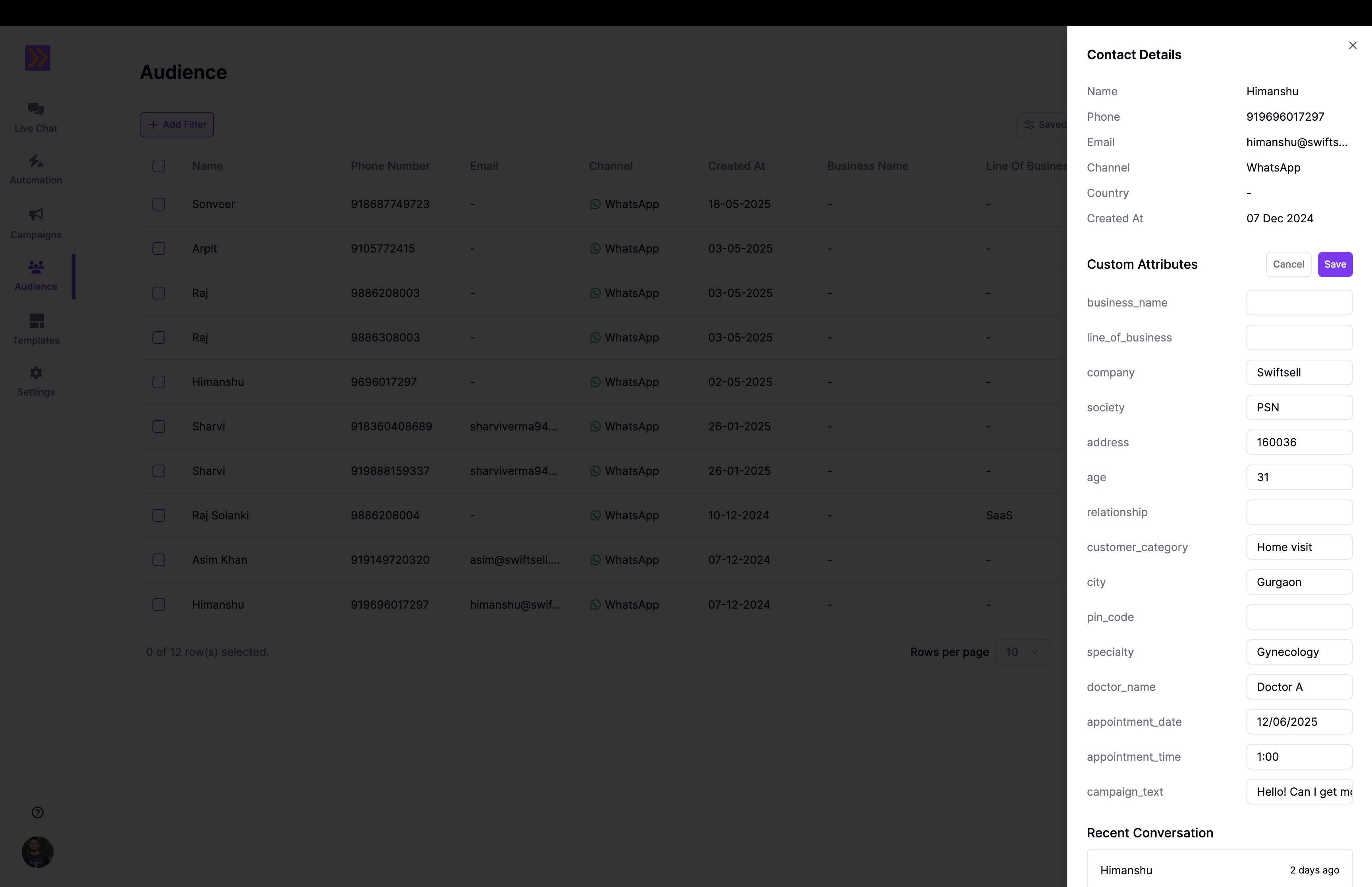
Understanding Contact Attributes
Contact attributes are the data fields that store information about your audience members. They fall into two main categories:System Attributes
Built-in fields that Swiftsell automatically manages:- Phone Number - Primary identifier for each contact
- Name - Contact’s display name
- Created At - When contact was added to your audience
- Country - Contact’s country
- City - Contact’s city
- Meta Source Id - Meta ID for an ad or a post.
- Meta Source Type - The type of the ad’s source; ad or post.
- Meta CTWA CLID - Click ID generated by Meta for ads that click to WhatsApp.
Custom Attributes
Fields you create to store business-specific information:- Preferences - Product interests, communication preferences
- Demographics - Age, location, customer type
- Business data - Purchase history, account status, subscription level
- Behavioral data - Engagement score, lifecycle stage, lead source
Individual Contact Updates
Manual Updates
For single contact modifications:- Navigate to contact - Find the contact in your audience list
- Open contact details - Click to view full contact profile
- Edit attributes - Update any custom or system attributes
- Save changes - Confirm updates to preserve information
- Correcting individual contact information
- Adding specific notes or details
- Updating high-value customer information
- Making one-off changes based on conversations
Automated Updates
Attributes can be updated automatically through:- Conversation data - Information collected during WhatsApp conversations
- Collect Input - Collect data and store it in an attribute within automation flows
- Quick Replies - Store response of quick reply node in an Attribute
- List - Store response of list node in an Attribute
Bulk Attribute Updates
Import-based updates- Upload CSV with updated information
- Match contacts by phone number
- Update existing attributes or add new ones