

Collect Input Block
The Collect Input block in Swiftsell’s WhatsApp automation builder allows you to ask questions and capture user responses, mapping them directly to variables for use later in your automation flow. This block is perfect for gathering information such as names, emails, preferences, or any custom data from your leads.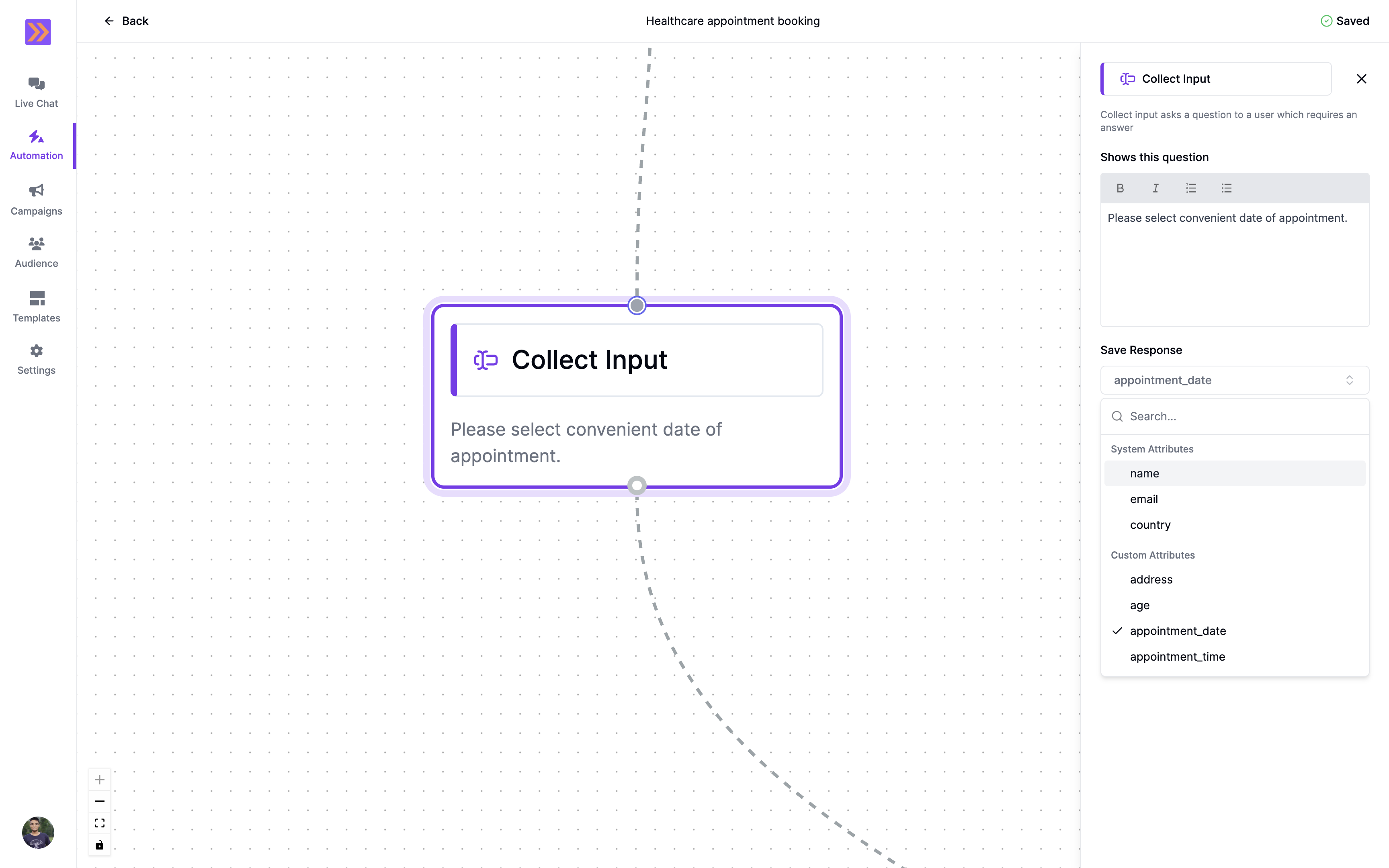
How It Works
- The Collect Input block displays a question to the user and waits for their response.
- The user’s answer is automatically saved to a selected variable, making it available for use in subsequent steps of your automation.
- Supports text formatting in the question for clarity and emphasis.
Key Components
-
Question Text
Compose the question you want to ask the user. Supports formatting: Bold, Italics, ordered and bulleted lists.You can insert variables using#inside the editor to personalize questions. -
Variable Mapping
Select from a list of available variables (which can be either system or custom variables) to store the user’s response. This ensures that collected data is organized and can be referenced in later steps.
Example Use Case
In the screenshot above, the Collect Input block is used to ask, “What is your organisation’s name?” The user’s response is saved in the Business Name variable, allowing you to personalize future messages or automate workflows based on this input.The Collect Input block streamlines data collection, making it easy to gather and use user responses for more personalized and effective WhatsApp automation flows.