

Start Flow Block
The Start Flow block is the essential entry point for every WhatsApp automation in Swiftsell. It defines the trigger conditions for your automation and determines which WhatsApp Business Number will initiate the flow. Every automation must begin with a Start Flow block.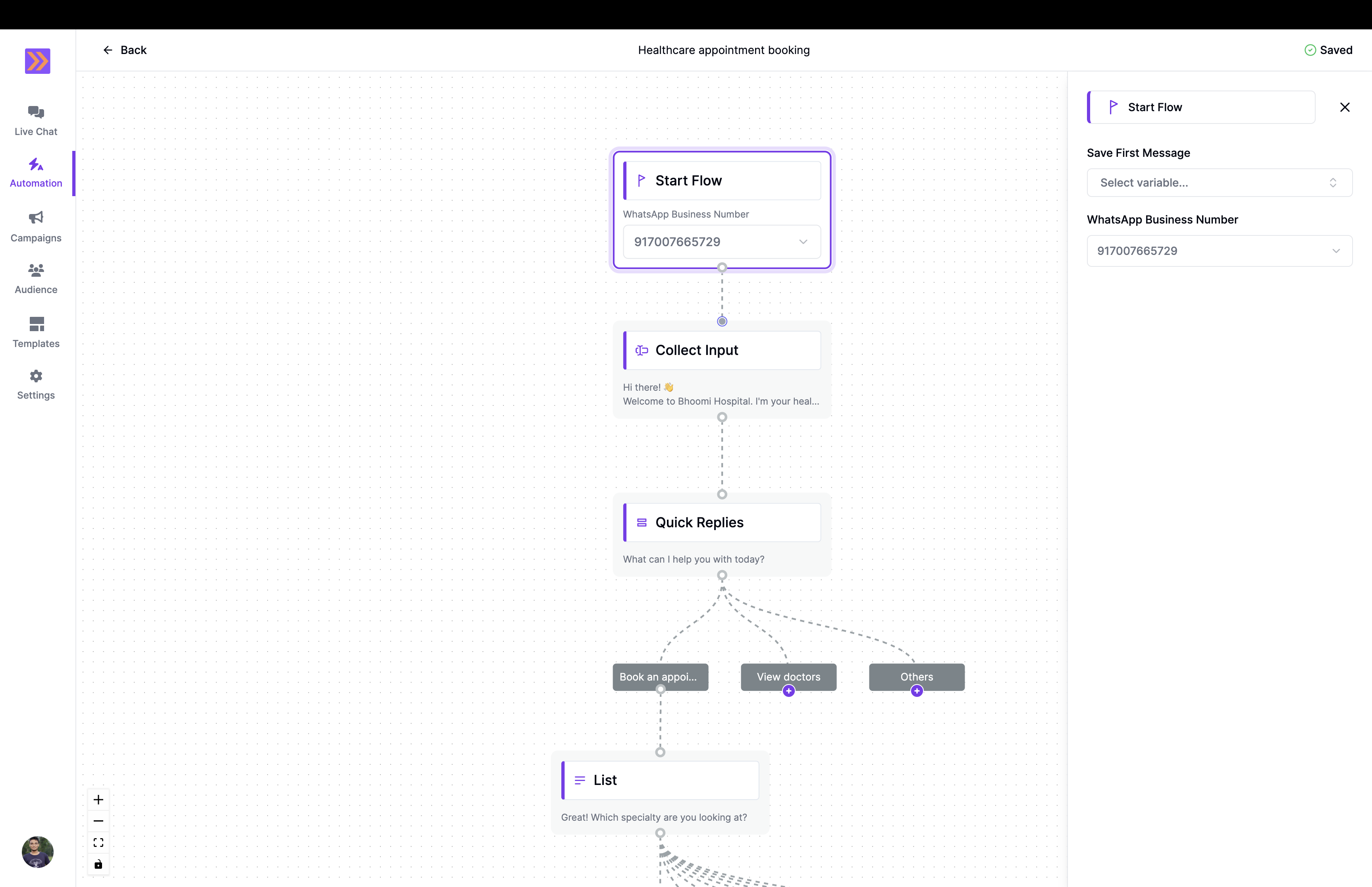
How It Works
- The Start Flow block is always the first node in your automation canvas.
- You must select a WhatsApp Business Number. This is the number that will receive and respond to user messages.
- Optionally, you can use the Save First Message field to capture the user’s initial message in a variable for use later in the flow.
Key Components
-
WhatsApp Business Number
Select the WhatsApp number that will trigger this automation. Only messages sent to this number will start the flow. -
Save First Message (optional)
Store the user’s first incoming message in a variable. This is useful if you want to reference the user’s initial input in later steps.You can use the saved variable in subsequent blocks for personalization or logic. -
Flow Connection
The Start Flow block must be connected to the next step in your automation, such as a greeting, input collection, or quick reply block.
Example Use Case
In the screenshot above, the Start Flow block is configured with a WhatsApp Business Number. When a user sends a message to this number, the automation begins and proceeds to the next block (e.g., “Collect Input”), guiding the user through the appointment booking process.The Start Flow block is required for every WhatsApp automation and ensures your flow starts seamlessly when a user reaches out to your business number.