

Overview
Bulk campaigns allow you to send a single message to a large group of recipients at once. Perfect for announcements, promotions, or important updates that need immediate delivery to your entire audience or specific segments.One-Time Delivery
Send messages immediately to all contacts in your selected audience segment
Segment Targeting
Target specific groups based on attributes, behavior, or custom segments
How Bulk Campaigns Work
Bulk campaigns follow a simple three-step process:Creating a Bulk Campaign
1. Start New Campaign
Navigate to Campaigns and click Create Campaign, then select Bulk.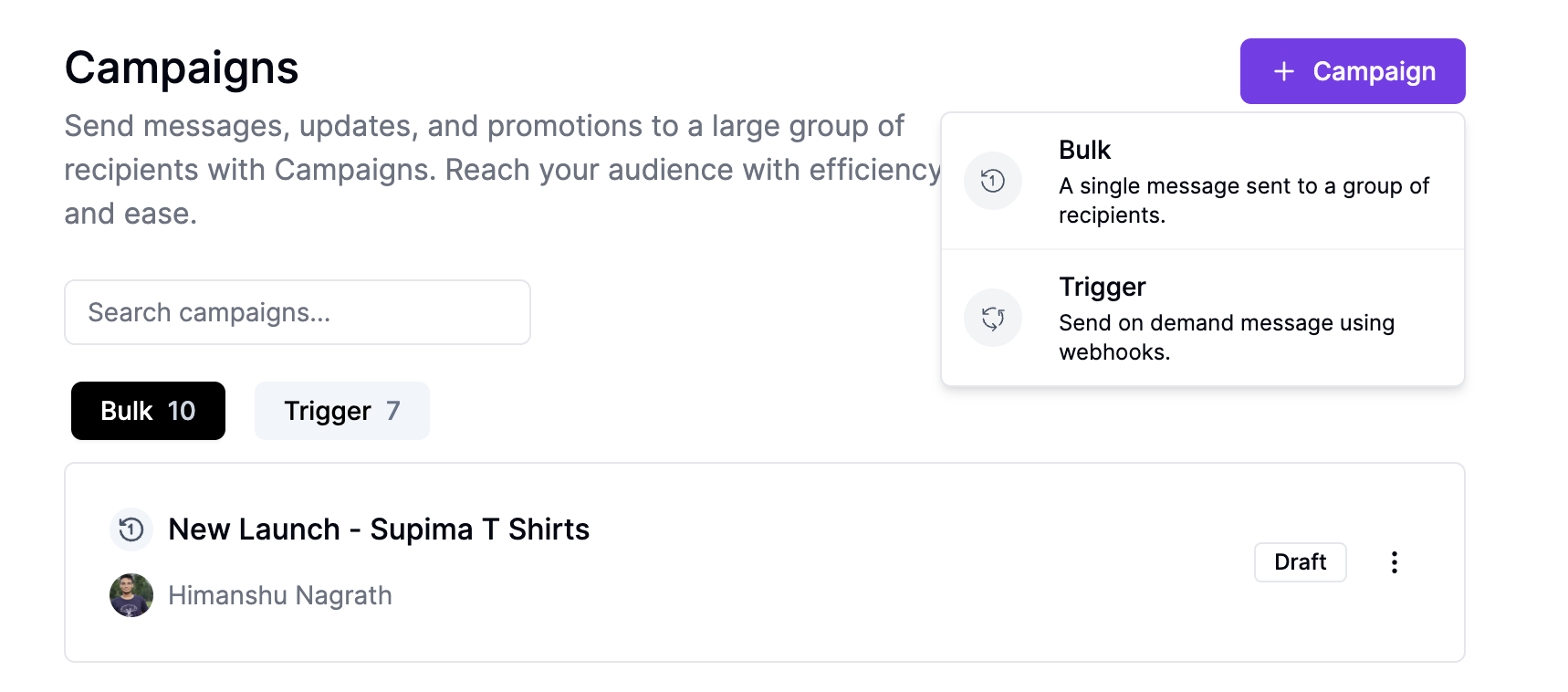
2. Set Up Trigger
Configure your campaign trigger by selecting an audience segment:- Audience Segment: Choose from existing segments or create a new one
- Segment Criteria: Verify the filtering criteria matches your target audience
3. Add Message Action
Add a “Send WhatsApp” action block to your campaign flow:- Template Selection: Choose an approved WhatsApp template
- From Number: Select the WhatsApp Business number to send from
- Variable Replacement: All template variables will be replaced by contact attributes before sending the message
4. Review and Deploy
Before deploying, review:- Target audience size and criteria
- Message content and variable replacement
- Campaign name and description
Campaign Status Lifecycle
Bulk campaigns progress through these statuses:- Draft
- In Progress
- Completed
Campaign is being configured but not yet deployed. You can make changes and
add/remove action blocks.
Best Practices
Timing Considerations
- Time Zones: Consider your audience’s time zones for optimal engagement
- Business Hours: Send during appropriate business hours for your industry
- Frequency: Avoid sending multiple bulk campaigns in short succession
Audience Segmentation
- Relevant Targeting: Ensure your message is relevant to the selected segment
- Segment Size: Test with smaller segments before large deployments
- Exclusion Lists: Remove contacts who have opted out or unsubscribed
Message Content
- Clear Value: Ensure your message provides clear value to recipients
- Call to Action: Include a specific, actionable next step
- Personalization: Use contact attributes to make messages more relevant
Use Cases
Product Launches
Product Launches
Announce new products or services to your entire customer base or specific
segments based on purchase history.
Event Promotions
Event Promotions
Promote webinars, sales events, or company announcements with time-sensitive
messaging.
Customer Updates
Customer Updates
Share important policy changes, service updates, or company news with all
customers.
Seasonal Campaigns
Seasonal Campaigns
Send holiday greetings, seasonal offers, or time-limited promotions to boost
engagement.
Monitoring Campaign Performance
After deployment, track your campaign’s success through:- Delivery Metrics: Total sent, delivered, and failed messages
- Engagement Rates: Message opens, clicks, and responses
- Contact Actions: Track which contacts engaged with your campaign
- Error Logs: Review any delivery failures and their causes
- CSV Export: Download complete campaign logs as a CSV file once completed for detailed analytics, including phone numbers, template messages, delivery status, and specific error reasons for failed messages
Troubleshooting
Message Delivery Failures
Message Delivery Failures
Common causes include invalid phone numbers, blocked contacts, or WhatsApp
template issues. Review error logs for specific failure reasons.
Low Engagement Rates
Low Engagement Rates
Consider message timing, content relevance, and audience segmentation. Test
different approaches with smaller segments.
Template Rejection
Template Rejection
Ensure your WhatsApp templates are approved and comply with WhatsApp
Business policies before campaign deployment.
Next Steps
- Learn about Trigger Campaigns for automated, on-demand messaging
- Set up Audience Segments to target specific contact groups
- Create WhatsApp Templates for professional message formatting